
Show Call Time Template
Precision in show call times is the difference between a smooth curtain rise and a backstage logistical failure. While many production offices rely on outdated, cluttered spread...
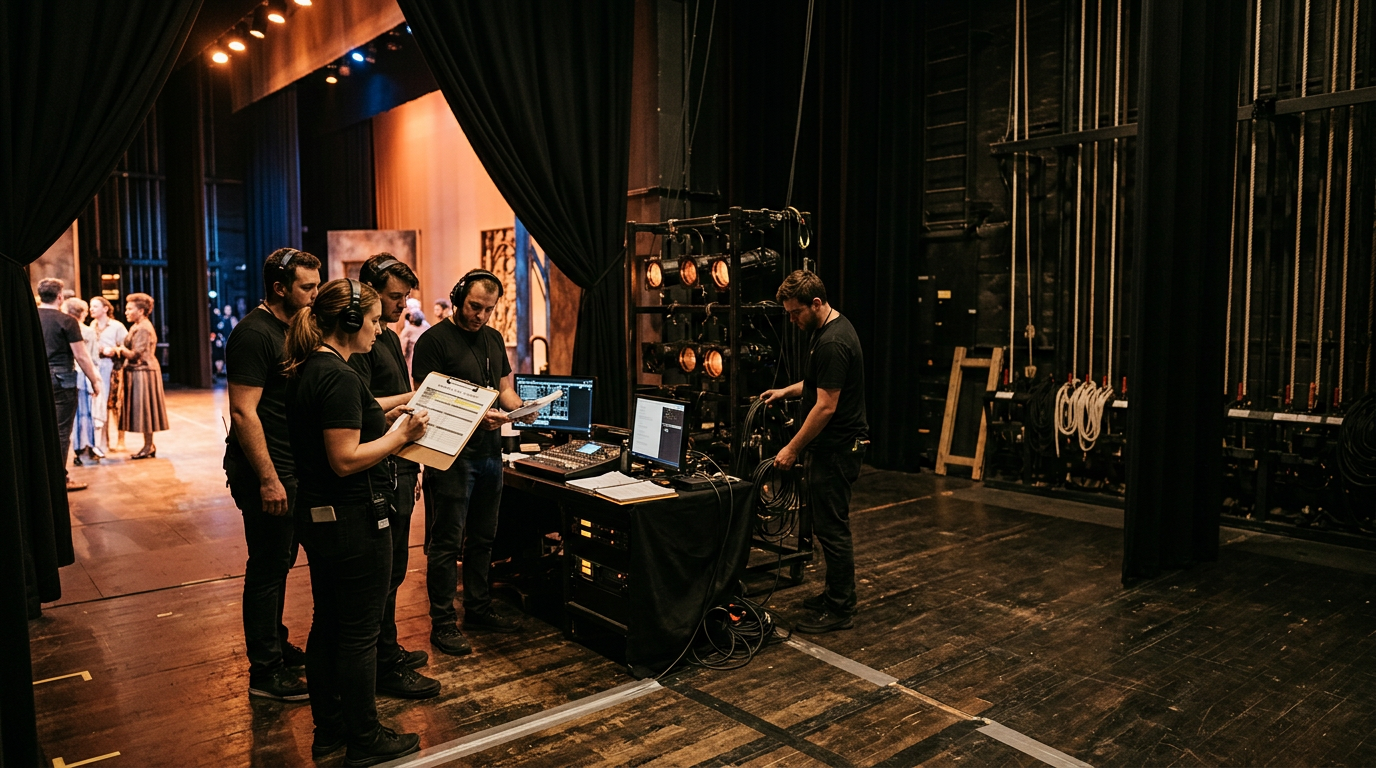
Precision in show call times is the difference between a smooth curtain rise and a backstage logistical failure. While many production offices rely on outdated, cluttered spreadsheets, a professional show call time template must serve as a functional tool that eliminates ambiguity for every department. This guide establishes the essential architecture for a high-performance template and the operational rules for managing it effectively.
The Architecture of a Functional Call Sheet Template
A professional template is not just a list of times; it is a communication hierarchy. It must be designed so that a performer or technician can find their specific requirement in under five seconds.
Header and Essential Metadata
The top of the document must contain static, non-negotiable data. This prevents errors when multiple versions of a schedule are circulating. Include:
- Show Title and Day/Date: Explicitly state the day of the week to prevent mental date-math errors.
- Version Number and Timestamp: Use a "Schema Version" (e.g., v2.1 – Revised 4:00 PM) to ensure everyone is looking at the most recent information.
- Weather Forecast (if applicable): Crucial for outdoor residencies or touring setups where load-ins are affected by environment.
- Emergency Contact: The direct line for the Stage Manager or Company Manager on duty.
The Chronological "Run of Day"
The core of the template should follow a strict chronological flow. Avoid grouping by department if it disrupts the timeline. If the audio team needs to be onstage at 2:00 PM and the lighting team at 2:15 PM, these should be sequential entries. This allows the Production Manager to see the density of the stage at any given moment.
Granular Call Structuring for Large Casts
One of the most common failures in entertainment operations is "universal calling"—the practice of calling the entire cast for the same time regardless of their first cue. This leads to crowded dressing rooms and wasted labor hours.
When managing call times for large casts, your template should utilize a tiered "Staggered Call" system.
- The Base Call: The standard arrival time for the majority of the company.
- Specialty Calls: Specific times for fight calls, dance captains, or aerial safety checks.
- Wig/Mic Calls: Individual appointments listed in a sub-table within the sheet.
By building these tiers into your template, you provide a clear visual path for different disciplines. For example, a Lead Vocalist may have a 6:00 PM Mic Check call, while an Ensemble member may not be required until a 7:00 PM Half-Hour call.
Departmental Syncing and Load-In Logic
The show schedule template must account for technical debt—the time required to reset the stage from a previous performance or a rehearsal. Your template should include a "Tech State" column that describes the physical status of the stage at specific times.
The Technical "Pre-Check" Block
Before the cast arrives, the template must account for:
- Rail/Fly System Reset: Confirming all linesets are in their home positions.
- Automation Calibration: Running "dead man" tests and limit checks.
- Audio Line Check: Ensuring signal flow before the noise floor of the cast arrival begins.
The "Dead Zone" Strategy
Expert Stage Managers build a "Dead Zone" into their template—a 15-minute window between the end of technical presets and the start of the performer stage call. This buffer allows for troubleshooting unexpected gear failures without delaying the rehearsals or the house opening. If your template is packed wall-to-wall with no gaps, you have no room for reality.
Standardized Terminology and Time Logic
Ambiguity creates late arrivals. Your call time template must use standardized terminology that is defined in your company handbook.
- Arrival (On-Site): The time a person must be physically in the building.
- In-Rig/In-Costume: The time a person must be fully prepared to work.
- FOH Open: When the Front of House is open to the public. All backstage "work noise" must cease.
- Places: The final call before the curtain rises.
Time Formatting Rules
Use 24-hour time or very clear AM/PM markers. In international touring or residency environments with multi-shift crews, 24-hour time is the industry standard to prevent 12-hour errors. If using a 12-hour format, bold the PM to ensure visual distinction.
Distribution Protocol and Version Control
A perfect template is useless if it is not delivered to the right hands at the right time. Your operations must follow a strict daily call sheet distribution SOP to ensure consistency across the production.
Finalizing the Schedule
The call sheet for the following day should be "locked" and distributed no later than the intermission of the current evening's performance. This allows the company to check their schedules before they leave the theater.
The Push vs. Pull Method
- Push: Sending the PDF via email or a dedicated messaging app (Slack/WhatsApp).
- Pull: Posting physical copies on the call board and uploading to a shared cloud drive.
Your template should include a footer that notes exactly where the "Source of Truth" lives. If there is a discrepancy between the paper on the wall and the file in the cloud, the footer must dictate which one takes precedence (usually the digital version in modern operations).
Automation and Dynamic Templates
For long-running residencies or complex tours, static Word documents are often insufficient. A professional template should be built in a way that allows for dynamic updates.
Using Conditional Formatting
If you use an Excel or Google Sheets-based template, use conditional formatting to highlight "Today’s Date." This simple visual cue prevents crew members from accidentally looking at yesterday’s schedule.
Macro-Enabled Resource Tracking
If your show requires tracking labor hours for payroll alongside call times, your template should have hidden columns that calculate the duration between "Call" and "Out." This allows the Production Manager to monitor for overtime triggers or labor law violations (such as ensuring a 10-hour rest period between shifts) automatically.
Decision Rules for Schedule Adjustments
When the schedule needs to change mid-day, the template must be updated and redistributed following these three rules:
- The Highlight Rule: Any change made after the initial distribution must be highlighted in a specific color (usually yellow or red) to draw immediate attention.
- The Verbal Confirmation Rule: For changes affecting a call time by more than 30 minutes, the Stage Manager must receive a verbal or written "received" from the department heads.
- The "One Version" Rule: Never leave old versions of a call sheet on the call board. When the new one goes up, the old one must be physically removed and recycled.
Template Content Checklist
To ensure your template is comprehensive, it should include the following fields as standard:
- Production Phase: (e.g., Load-in, Tech, Preview, Run).
- VIP/Press Notes: Any high-profile guests or filming crews on site.
- Health and Safety: Names of the on-site medic or safety officer for that shift.
- Hospitality/Catering: Meal break times and locations.
- The "Next Day" Teaser: A 1-line summary of the following day's start time to help the cast plan their rest.
Implementation of Workflow
Transitioning to a new template requires an "all-hands" explanation. Introduce the template during a quiet period—not on the day of a heavy load-in. Walk the department heads through the layout, explaining where their specific data will live and how they are expected to report changes back to the production office.
When you treat your call sheet as a piece of precision engineering rather than a simple memo, you reduce the cognitive load on your cast and crew. This leads to a more focused rehearsal environment and a safer, more professional performance.
Where Rox Teddy fits
Rox Teddy provides the advanced planning tools and operational support needed to manage complex show schedules without the manual overhead of spreadsheets. Our systems streamline the creation and distribution of call times, ensuring that your production data is always accurate and accessible. By centralizing your operations, Rox Teddy helps your team stay synchronized from the first load-in to the final curtain.
Mastering the show call time template is the first step toward total operational control in any live entertainment environment.